

Hello! Welcome to this tutorial article. In this article, I'll guide you on how to boost your Post.
Let's dive in!
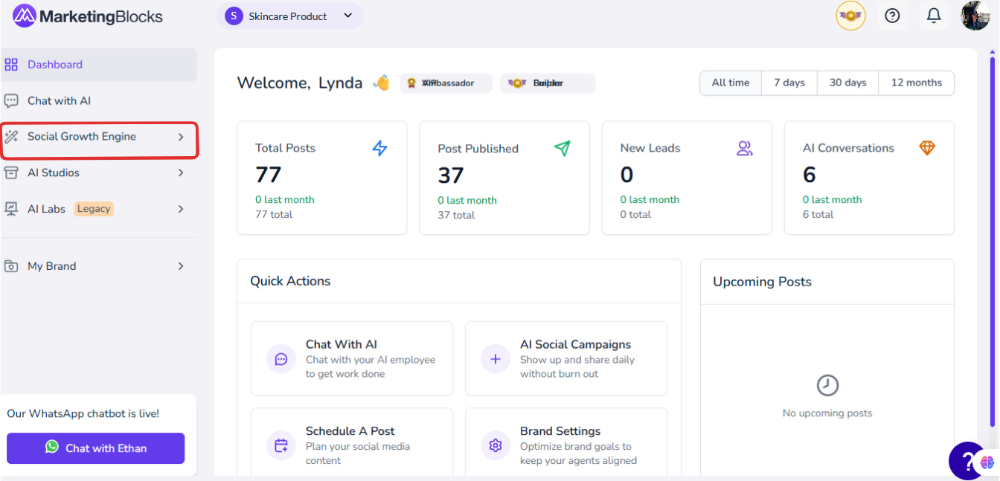
Step 1: From your dashboard, click on the "Social Growth Engine"
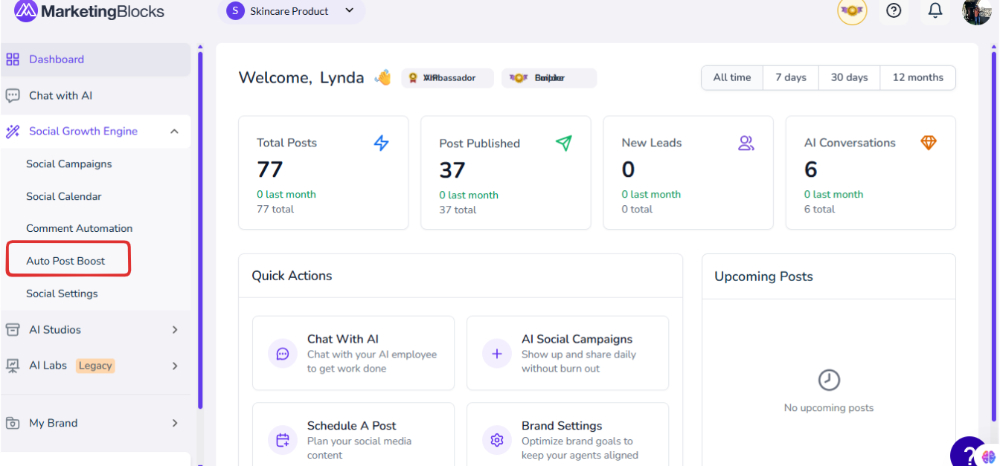
- Click "Auto Boost Post
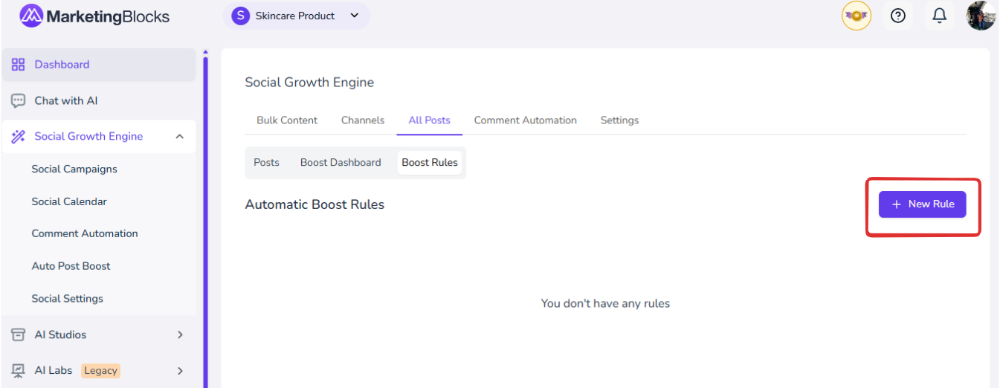
N/B: You need to set a rule first.
Step 2: Set a "Rule"
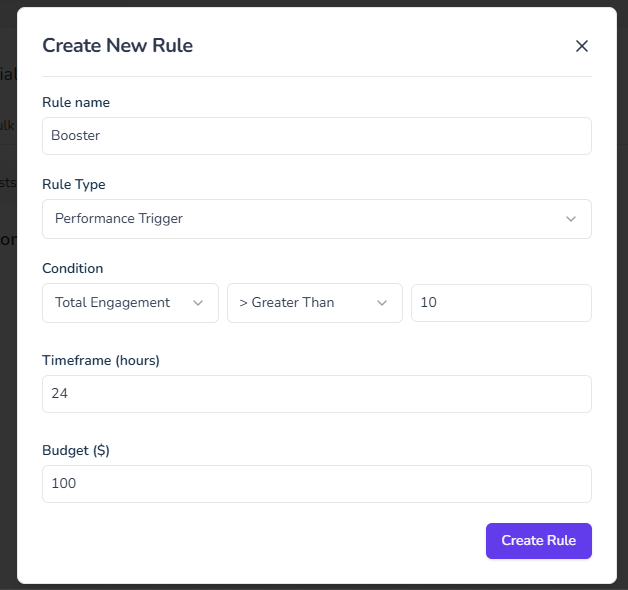
- Provide the required information to set up the rule.
- Click "Create Rule"
Step 3: The Rule is set!
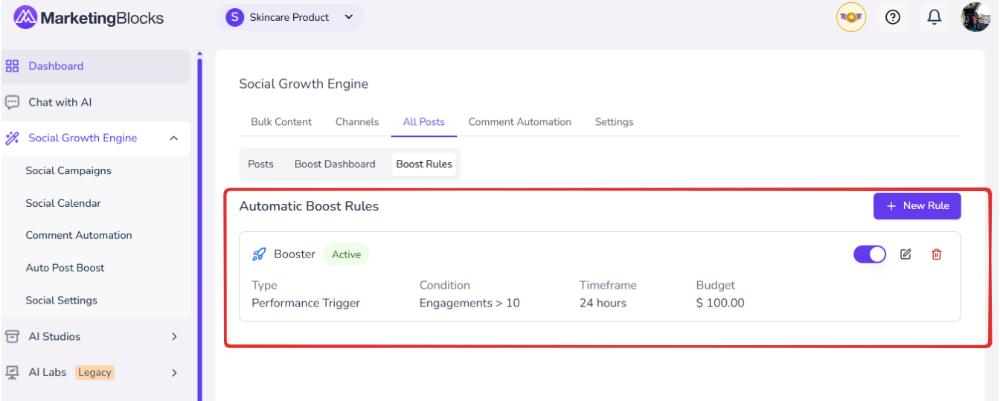
That's it!
If you need further assistance, kindly use the chat widget at the bottom-right corner of this page or email our support desk(support@marketingblocks.ai) for prompt assistance.
Thank you!