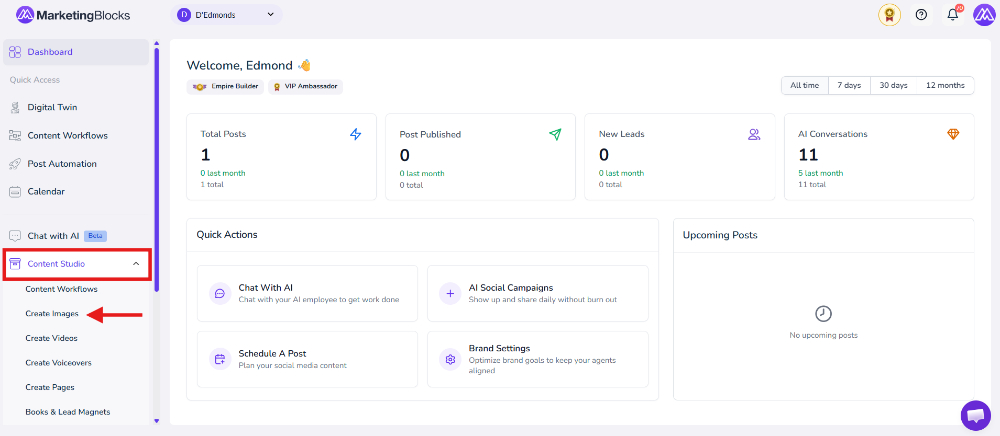
Step 1: From your preferred project, click "Content Studio"
Then click Create Images
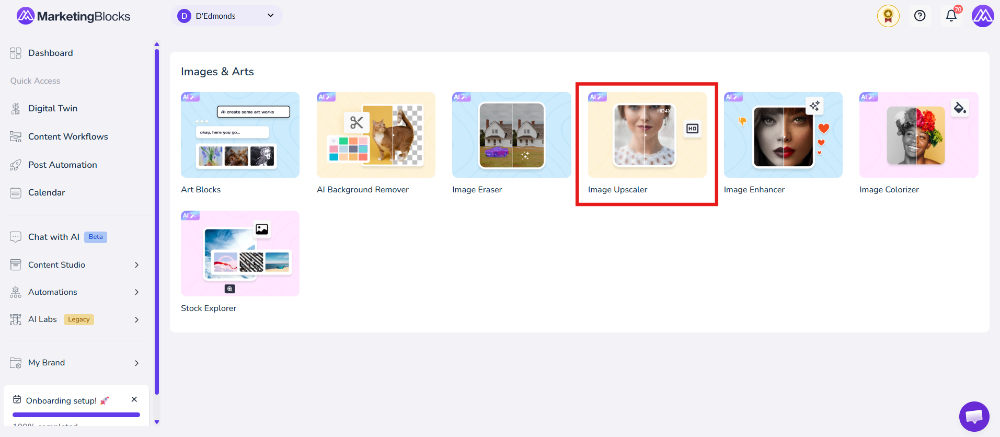
Click " AI Image Upscaler."
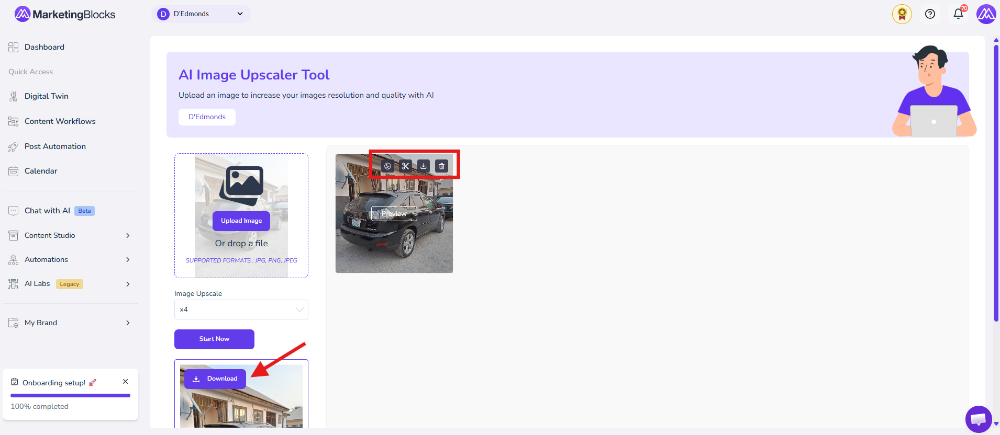
Step 2 – Upload Your Image, Click on the Upload Image button or drag and drop your file into the upload area to add the image you want to upscale or enhance.
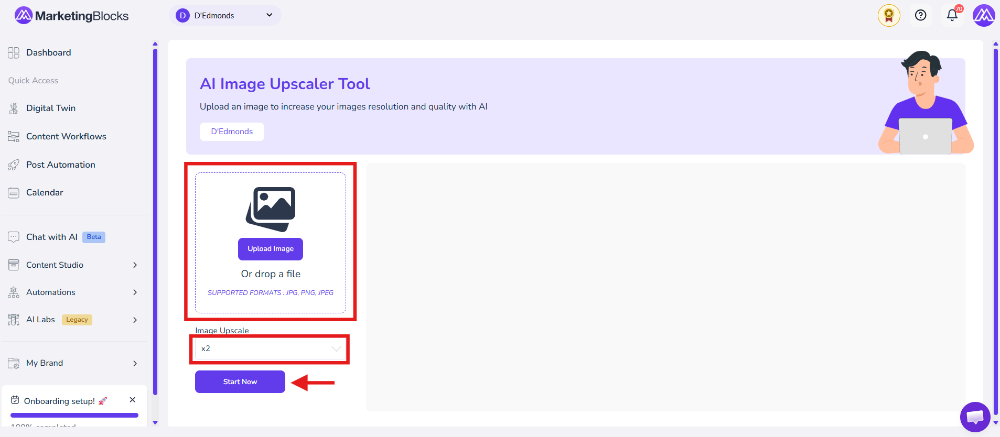
Step 3 – Choose Upscale Settings and Start
Select your preferred Image Upscale level (such as x2) to improve the image quality, then click the Start Now button to begin processing the image with AI.