

How To Manage Plans & Subscriptions
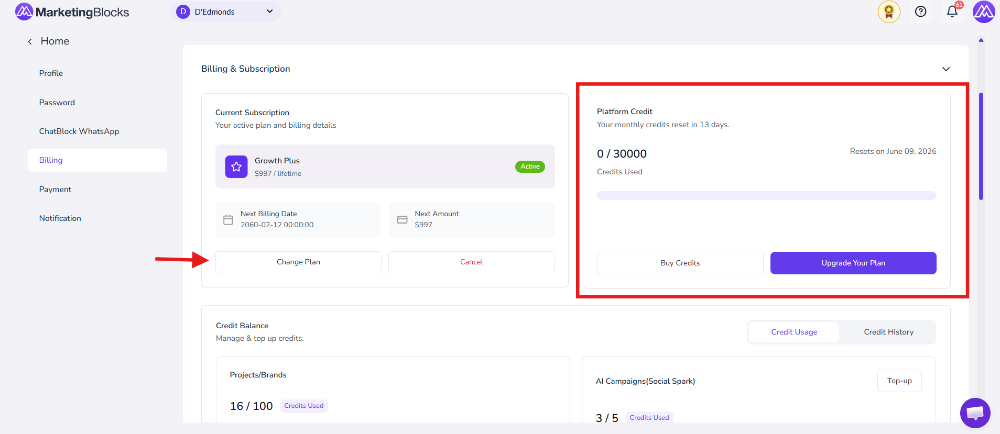
This helps you to know your current plan and the credits that are left. You can also change your plan by upgrading, and you can purchase credit.
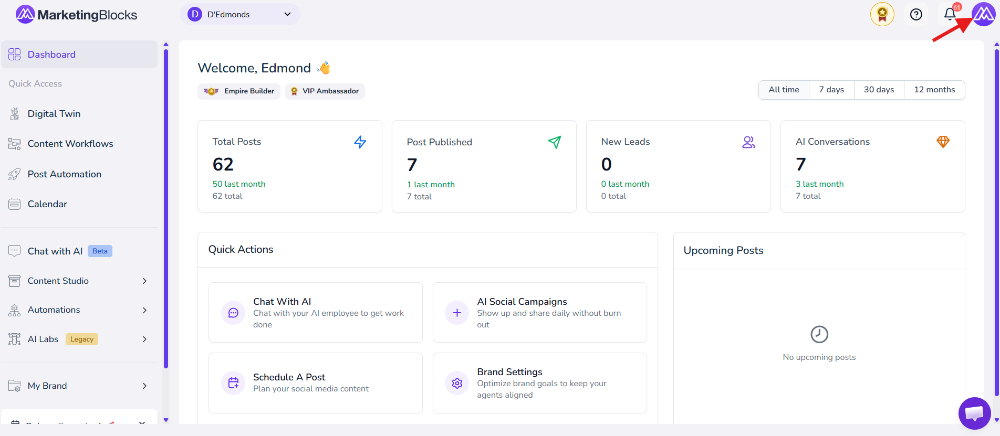
Step 1: From your dashboard, click on the right-hand side Profile. A drop-down will pop up; click on "My Profile."
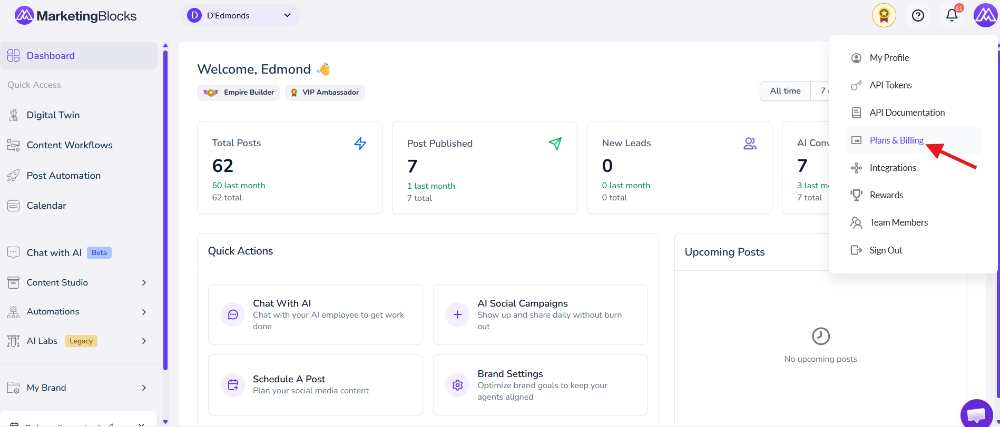
Step 2: Click on your Plan and Billing.
Note: You can see credit left, and also change your plan by upgrading and you can buy credit.
That’s it!
If you need further assistance, kindly use the chat widget at the bottom-right corner of this page or send an email to our support desk (support@marketingblocks.ai) for prompt assistance.
Thank you!