

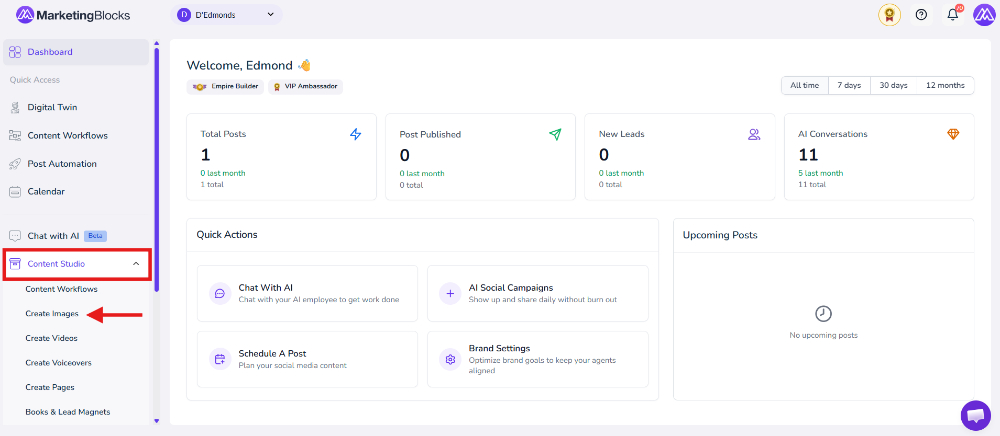
Step 1: From your preferred project, click "Content Studio"
- Then click Create Images
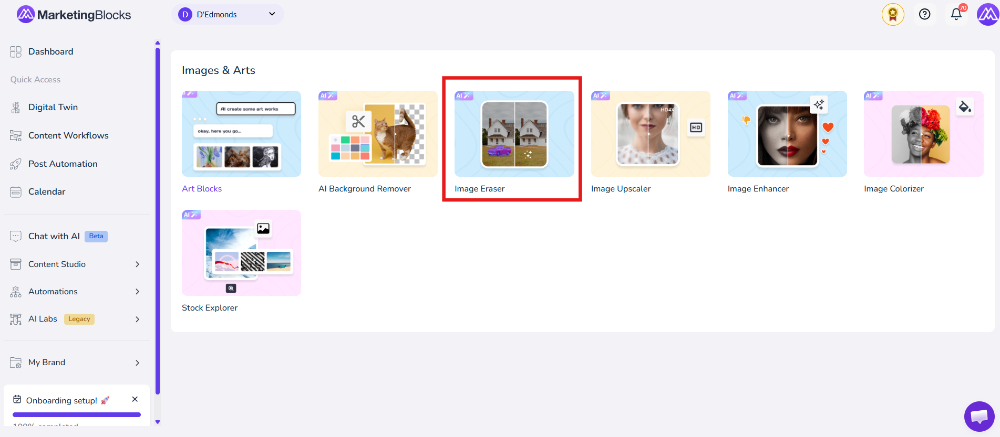
- Click "Image Eraser."
Step 2: Upload Your Image Click on the Upload Image button or drag and drop your file into the upload area to begin editing your image
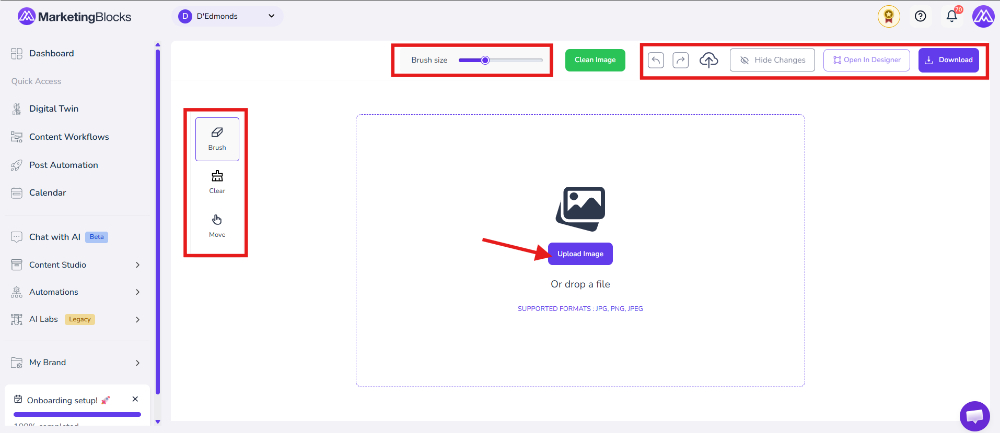
Step 4: Edit and Manage Your Image: Use the tools on the left side, such as Brush, Clear, and Move, to edit your image. You can also adjust the Brush Size from the top bar, undo or redo changes, hide edits, open the image in the designer, or download the final result once editing is complete.
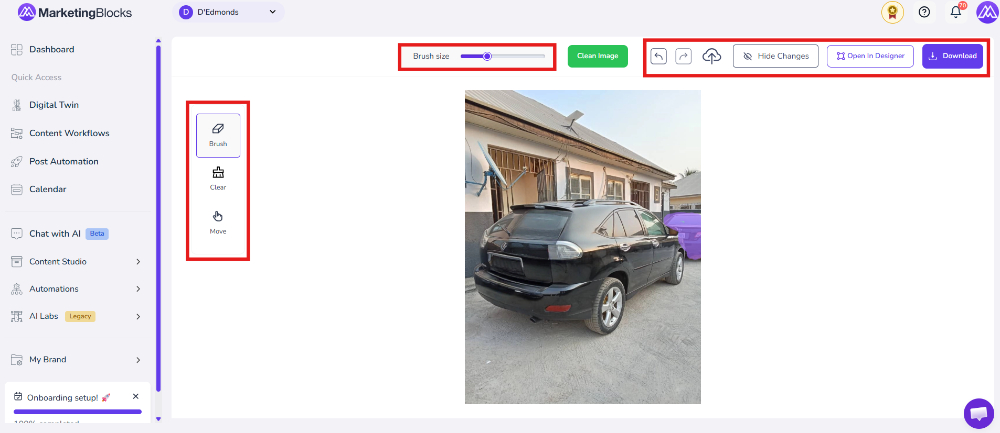
That's it!
If you need further assistance, kindly use the chat widget at the bottom-right corner of this page or email our support desk (support@marketingblocks.ai) for prompt service.