

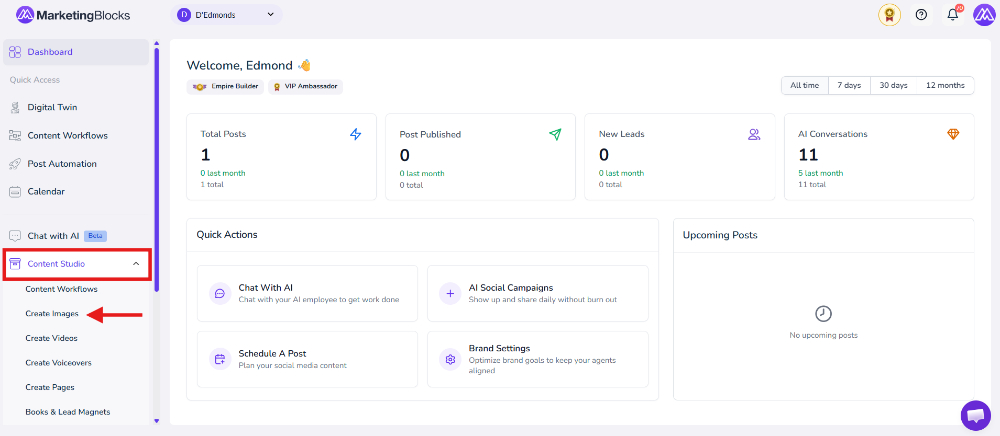
Step 1: From your preferred project, click "Content Studio"
- Then click Create Images
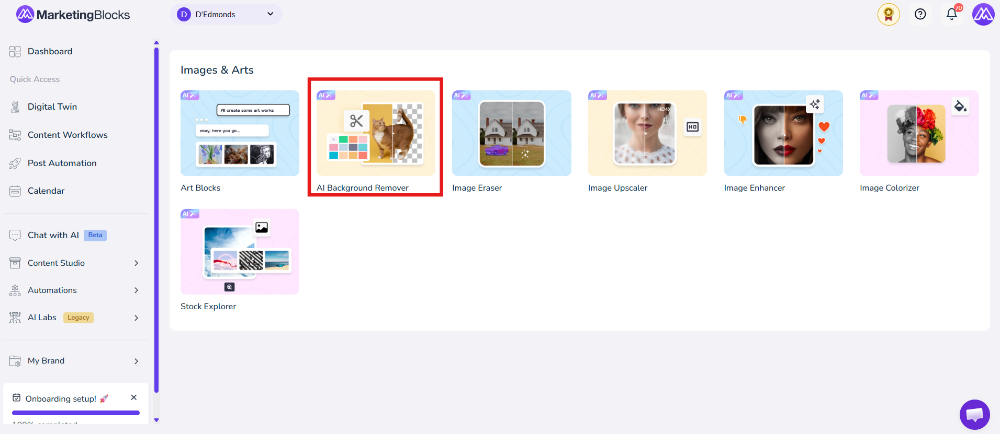
- Click "AI Background Remover."
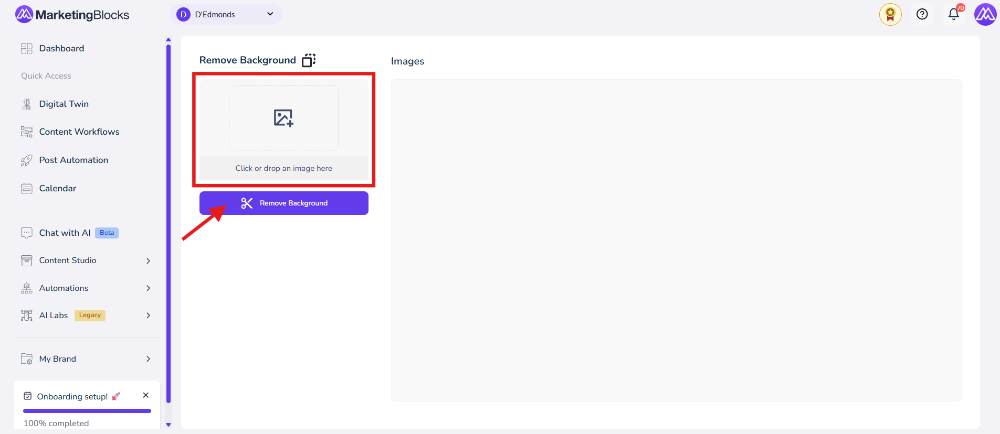
Step 2: Click on the box to upload images, and when it upload simple click on Remove Background.
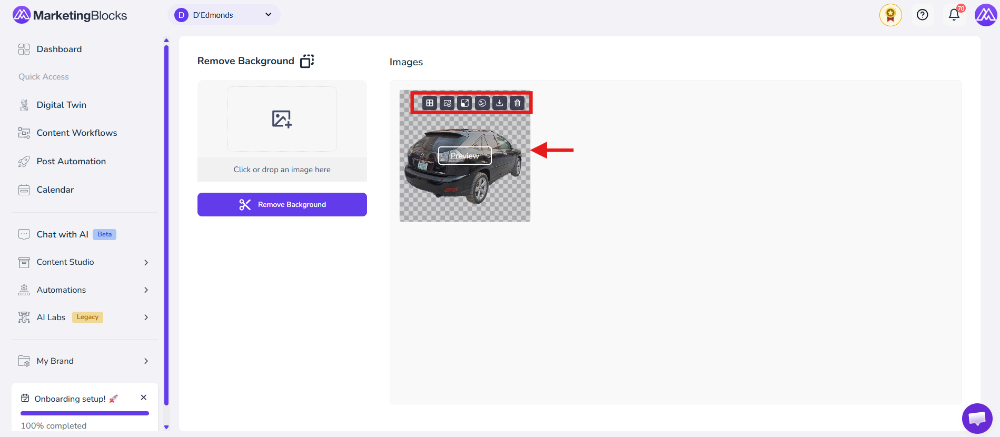
Step 3: You can choose to further
- Add a border line
- Add background
- Upscale Image
- Enhance Image
- Download
- Remove/delete
That's it!
If you need further assistance, kindly use the chat widget at the bottom-right corner of this page or email our support desk (support@marketingblocks.ai) for prompt service.
Thank you!